


How to Start DJing: Gear, Skills and Your First Set
Resources / Field notes / DJing
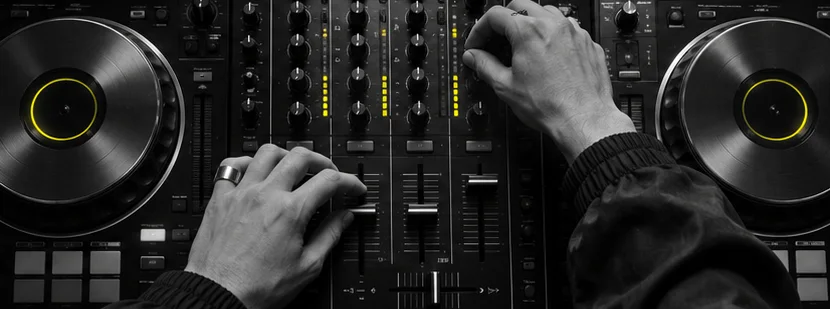
Learning to DJ is mostly practice, but it goes faster when you know what to practise and in what order. These 16 answers cover the equipment and software a beginner needs, the core mixing skills from beatmatching to EQ, where DJs buy music, how to organise a library and build a set, and how first gigs usually happen.
Key takeaways
- A two-channel DJ controller, DJ software, closed-back headphones and speakers are enough to learn every core mixing skill.
- Beatmatching has two parts: matching the tempo with the pitch fader, then aligning the beats by nudging the jog wheel.
- Spotify ended its integration with third-party DJ apps in 2020; DJs mostly mix purchased files or streaming services their software supports.
- On the Camelot wheel, a track in 8A (A minor) mixes smoothly with tracks in 7A, 9A and 8B.
- Most first gigs come through a local scene: regular attendance, strong recorded mixes and offers to play warm-up slots.
On this page
- How do I start DJing as a complete beginner?
- What equipment do I need to start DJing?
- Should I learn to DJ on a controller or on CDJs?
- Which DJ software should a beginner use?
- What is beatmatching?
- Is using the sync button cheating?
- How do I mix in phrase?
- What is harmonic mixing and the Camelot wheel?
- How should I use EQ when mixing?
- Where do DJs buy music?
- Can I DJ with Spotify?
- How should I organise my DJ music library?
- How do I build a DJ set?
- How long does it take to learn to DJ?
- What headphones do DJs need?
- How do I get my first DJ gig?
Getting started: DJ equipment and software
How do I start DJing as a complete beginner?
To start DJing, get a two-channel DJ controller and DJ software, build a small library of tracks you know well, and practise beatmatching and blending two tracks until your transitions feel natural.
Begin with music before gear: 30 to 50 tracks you love in one or two related styles will teach you more than a huge, unfamiliar library. Learn the layout of two decks and a mixer, the cue button and headphone cueing, then the core skills in order: beatmatching, phrasing and EQ. Record every practice session and listen back the next day, because mistakes you miss while mixing are obvious on playback. Listening closely to recorded DJ sets also helps you hear how experienced DJs time their transitions. The DJ glossary explains terms such as phrase, warm-up set and B2B.
What equipment do I need to start DJing?
To start DJing you need a laptop with DJ software, a two-channel DJ controller, closed-back headphones and a pair of speakers; turntables or CDJs with a separate mixer can come later.
A controller combines two jog wheels, a mixer section with EQ and faders, and a sound card with a headphone output, so it is the simplest complete set-up. Some standalone units build the screen and software in and need no laptop at all. Powered studio monitors or a decent hi-fi will do as speakers; what matters is hearing the bass clearly. Playing vinyl needs two turntables with pitch control, a mixer with phono inputs and a growing record collection, so it costs more and takes more space. Tip: avoid paying extra for effects and extra decks at first, because two decks and a mixer are all the core skills need.
Should I learn to DJ on a controller or on CDJs?
A controller is the cheaper and easier place to learn, but most club booths have long used Pioneer DJ CDJ players with a DJM mixer, so learn on a controller and get time on CDJs before gigs.
The skills transfer: tempo, phrasing and EQ work the same way on any equipment. The differences are in workflow. A controller runs from a laptop, while CDJs play tracks from a USB drive prepared in advance in Pioneer DJ’s rekordbox software, with cue points and beatgrids already set. There is no laptop to lean on, and each player and the mixer are separate units, so you need to know where every control is. Tip: choose a controller whose layout resembles a CDJ and DJM set-up, export a USB drive from rekordbox early, and book an hour in a DJ practice studio or on a friend’s set-up before your first gig.
Which DJ software should a beginner use?
The main DJ software options are rekordbox, Serato DJ, Traktor, VirtualDJ and djay, and for a beginner the sensible choice is usually the program your controller is designed to work with.
Pioneer DJ’s rekordbox also prepares USB drives for CDJs, which matters if you plan to play in clubs. Serato DJ, from New Zealand, has deep roots in scratch and hip-hop DJing. Traktor is made by Native Instruments in Berlin. VirtualDJ is a long-running option that works with many controllers, and Algoriddim’s djay runs on phones and tablets as well as computers. All of them analyse tempo, sync tracks and organise playlists. Features, licences and supported hardware change from version to version, so check the software maker’s current information for your controller before you buy. Switching later is possible, though cue points and beatgrids may need to be redone.
Mixing skills: beatmatching, phrasing, keys and EQ
What is beatmatching?
Beatmatching is setting two tracks to the same tempo and aligning their beats so the kicks land together, done by ear with the pitch fader and by nudging the jog wheel or platter.
The process has two parts. First you match the tempo: if the playing track runs at 124 BPM, you move the incoming track’s pitch fader until it also runs at 124. Then you match the phase, starting the incoming track exactly on a beat and correcting small drifts by touching the jog wheel or platter. You listen to the incoming track in headphones and compare it with what plays through the speakers. The pitch fader of the classic Technics SL-1200 turntable moves by plus or minus 8 per cent, enough for most tracks within a genre. Tip: practise with two copies of the same track; when they are in time, you hear one kick instead of a galloping double hit.
Is using the sync button cheating?
Using the sync button is not cheating: sync matches tempo and beat phase automatically, but it cannot choose tracks, read a room, time phrases or shape the EQ, which is most of what a DJ does.
Sync is only as reliable as the software’s beatgrid, and that is its weakness: tracks with live drumming, tempo changes or a misplaced grid can drift or lock to the wrong beat, and a DJ who cannot beatmatch by ear has no way to rescue them. Learning to beatmatch manually also trains your ears to hear when two tracks clash. Many experienced DJs use sync routinely to free their hands for effects, loops or extra decks. Tip: learn manual beatmatching first, then use sync as a tool, and check the beatgrids of new tracks before every gig, especially older records with live drummers.
How do I mix in phrase?
To mix in phrase, start the incoming track on the first beat of a new phrase in the playing track, usually every 16 or 32 bars, so both tracks change at the same moment.
Count bars in groups of four beats and watch the waveform, which makes it easy to see where drums, bass or vocals enter. If the playing track’s breakdown begins at bar 65, starting the new track at bar 33 gives you a 32-bar blend that ends just as the breakdown arrives, a natural moment to switch. Mixing out of phrase is the most common reason a technically perfect beatmatch still sounds wrong. Tip: set hot cues at the start of each phrase on tracks you play often, and practise counting aloud until hearing the top of a phrase becomes instinctive. The DJ glossary defines phrase, breakdown and build-up.
What is harmonic mixing and the Camelot wheel?
Harmonic mixing means blending tracks whose musical keys are compatible, and the Camelot wheel is a chart that numbers the 24 keys from 1 to 12, with A for minor and B for major, to make compatible choices easy.
On the wheel, a track in 8A (A minor) mixes smoothly with another in 8A, with its neighbours 7A (D minor) and 9A (E minor), and with 8B (C major), its relative major. Those moves keep most notes in common, so long blends of melodic tracks do not clash. The system was popularised by the key-detection software Mixed In Key, and many DJ programs can show keys in this or a similar notation. You do not need formal music theory to DJ, though a little helps here. Key detection is not always right, so trust your ears over the label. Tip: keys matter most in melodic blends; in percussive techno, phrase and energy usually matter more.
How should I use EQ when mixing?
Use EQ when mixing to stop two tracks fighting over the same frequencies: most club mixers have high, mid and low controls on each channel, and the basic rule is never to play two full basslines at once.
A standard blend works like this: bring the incoming track in with its low EQ turned down, so you hear only its hi-hats, percussion and melody over the playing track’s bass. At a phrase change, swap the lows in one movement, cutting the bass of the outgoing track as you restore the incoming one. Then fade out the outgoing track’s mids and highs over the next phrase. Mid cuts help when two vocals or lead lines clash. Tip: think of EQ as cutting, not boosting, because pushing a band above its centre position raises the level and can drive the mixer into distortion. Keep an eye on the channel meters so the overall level stays steady through the blend.
Music, library and sets
Where do DJs buy music?
DJs buy music mostly from download stores such as Beatport, Bandcamp, Juno Download and Traxsource, from record shops for vinyl, and directly from labels and artists, usually as WAV, AIFF or high-bitrate MP3 files.
Beatport, launched in 2004, specialises in electronic dance music and is organised by genre, which has made it a habitual store for many house and techno DJs. Bandcamp, launched in 2008, lets labels and artists sell directly and is strong for independent and underground releases. Juno Download is the digital side of the London-based retailer Juno Records, and Traxsource is known above all for house music. Vinyl comes from independent record shops, mail-order shops and second-hand sellers. Buy lossless files where you can, because a track bought in WAV or AIFF holds up on any club system. Vinyl and DJ formats compares WAV, AIFF, FLAC and MP3.
Can I DJ with Spotify?
Spotify ended its integration with third-party DJ apps in 2020, so DJs mostly mix purchased files or use the DJ-focused streaming services their software supports, and which services an app offers can change.
Before 2020, Spotify worked inside apps such as Algoriddim’s djay, which made it a popular way to try mixing at home. Since then, streaming services aimed at DJs have been built into various DJ programs, but which ones are available depends on the app, the country and the subscription, and the list changes, so check the software maker’s current information before relying on one. Streaming inside a DJ app also needs a reliable internet connection, which a club booth may not have. Tip: for any track you plan to play out, buy a file you own. Playing music in public is licensed separately from personal listening, usually through the venue, and the rules differ by country.
How should I organise my DJ music library?
Organise a DJ library with consistent file tags, playlists grouped by genre, energy or purpose, checked beatgrids and cue points, and at least two backups of everything you will play.
Fix tags first: correct artist, title, mix name, label and year make tracks easy to find under pressure. Then build playlists or crates that reflect how you play, such as ‘warm-up’, ‘peak’, ‘tools’ and ‘vocals’, rather than one huge folder. Use the comment or rating field for energy, and let the software analyse BPM and key, checking a few results by ear. Set a cue point on the first downbeat of every track before you need it. Tip: keep the master library in one place on your computer, export to two USB drives before every gig and keep a third copy at home, because drives fail at the worst moments.
How do I build a DJ set?
Build a DJ set by starting from the slot you are playing, choosing more tracks than you need, grouping them by energy, and planning a rough shape for the set rather than a fixed running order.
A one-hour set holds roughly 12 to 20 tracks, depending on how long you let each one play, so prepare 30 or 40. Think about the time and the room: a warm-up builds slowly, while a peak-time slot keeps the energy high and changes texture instead. Plan a few key moments, such as the opener, two or three turning points and the last track, and leave the rest flexible so you can react to the dancefloor. Tip: note the tracks that work well after each other when you practise, because those pairings become the backbone of your sets. How to submit a DJ mix to radio covers sets recorded for broadcast.
Practice, headphones and first gigs
How long does it take to learn to DJ?
Most beginners can beatmatch and blend two tracks after a few weeks of regular practice, but playing a confident, well-shaped hour for a crowd usually takes months, and reading a room takes years.
Short, frequent sessions work better than occasional marathons: 30 to 60 minutes on most days trains your ears faster than one long weekend. A useful order is manual beatmatching first, then phrasing and EQ, then complete recorded mixes of 30 to 60 minutes. Record every practice mix and listen back away from the decks, noting where transitions drift or the energy dips. Practising with the same 30 tracks until you know every intro and breakdown teaches more than constantly adding new music. Tip: mix in front of friends as soon as you can, because playing for people, even a few, is a different skill from playing alone.
What headphones do DJs need?
DJ headphones should be closed-back for isolation, loud enough to hear over a club monitor without distortion, comfortable on one ear, and built tough, ideally with replaceable cables and ear pads.
Closed-back designs block the booth sound so you can hear the incoming track clearly; open-back studio headphones leak sound and are hard to cue with in a loud room. Swivelling ear cups make one-ear monitoring easier, and a detachable cable is cheaper to replace than a whole pair. Long-running models such as the Sennheiser HD 25 have been booth favourites for many years because they are light, loud and repairable. Protect your hearing: keep headphone and booth monitor levels as low as you can work with, take breaks, and wear earplugs with flatter attenuation when you are not cueing. A booth monitor that is too loud is the usual reason headphone volume keeps creeping up.
How do I get my first DJ gig?
Most DJs get their first gig through a local scene: going to nights regularly, recording strong mixes, offering to play warm-up slots, and sometimes running a small party of their own.
Promoters book people they know and trust, so be a regular at the nights you would like to play and get to know the residents. Have two or three recorded mixes ready that show what you would play in that slot, not only your peak-time favourites. Bars, birthdays and friends’ events are real practice in front of people. Online radio is another route for recorded sets: to send one to Radio Glamorize, use the form on its send a DJ set page. When you get the gig, arrive early, learn the booth equipment, play to your slot rather than to your favourite records, and thank the promoter afterwards.
Read next
On air now
The quickest way into electronic music is to listen.
Radio Glamorize streams deep house, dub techno, electronica and ambient 24/7, with no ad breaks. Free in the browser, no app needed.


