


How to Find New Electronic Music: IDs, Labels and Digging
Resources / Field notes / Discovery
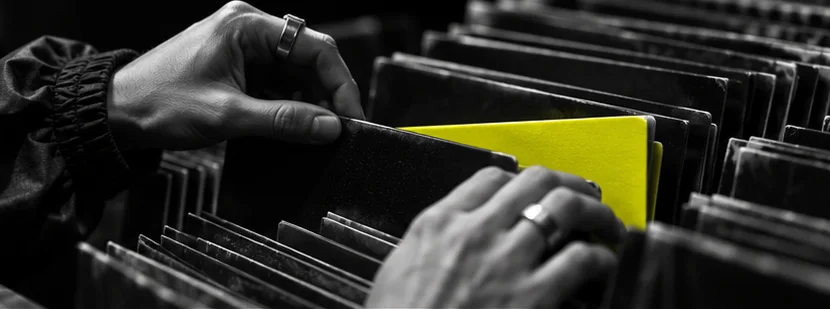
Most new electronic music is found the way DJs have always found it: through other DJs, labels, record shops and radio. This field note covers identifying tracks from mixes, why Shazam misses so many IDs, following labels and back catalogues, building playlists that flow and finding music beyond streaming algorithms. The Radio Glamorize Genre Atlas and DJ sets archive are two places to start.
Key takeaways
- Shazam matches released recordings, so it often fails on unreleased IDs, edits, bootlegs and tracks layered or pitched in a DJ mix.
- Following a label’s catalogue from its first release is one of the most reliable ways to find music you will like.
- The music industry’s global release day has been Friday since 2015, so one weekly check catches most new releases.
- The Radio Glamorize Genre Atlas maps 687 electronic and dance genres in nine families, each linked to the styles that sound closest.
- Full DJ sets reveal tracks in context, including unreleased music that single-track playlists and recommendations rarely surface.
On this page
- How do I discover new electronic music?
- How can I find electronic music beyond streaming algorithms?
- Why listen to full DJ sets instead of single tracks?
- How do I identify a track from a DJ set?
- Why can’t Shazam identify tracks in DJ sets?
- How do I find out which track is playing on the radio?
- How do I find electronic music similar to a track I like?
- How do I use a genre map to discover music?
- How do I dig through a record label’s back catalogue?
- How do I use Bandcamp to find electronic music?
- What are DJ charts and how do I use them?
- How do I keep up with new electronic music releases?
- How do I find electronic music for a particular mood?
- How do I build an electronic music playlist that flows?
Where to start discovering electronic music
How do I discover new electronic music?
To discover new electronic music, listen to DJ mixes and radio shows, follow the labels and artists behind the tracks you like, and dig through the credits, charts and back catalogues they lead to, rather than relying only on streaming recommendations.
Electronic music is released in large numbers on small labels, so much of it never reaches big playlists. The most productive habit is to follow threads: a track leads to its label, its remixer, the DJ who played it and the other records on that DJ’s tracklist. Keep a running list of names and catalogue numbers, because good finds disappear quickly in a stream. Mix your sources: one curated radio station, a couple of labels, a few DJs whose taste you trust and a record shop’s new arrivals cover more ground than any single app. Set aside a regular time for it, since digging works well as a weekly habit.
How can I find electronic music beyond streaming algorithms?
To find electronic music beyond streaming algorithms, turn to human curation: radio shows, DJ mixes, record shop recommendations, label newsletters and the tracklists of DJs whose taste you trust.
Recommendation algorithms learn from what you and similar listeners have already played, so they tend to suggest more of the same and favour tracks that are already popular. That suits comfort listening but rarely surprises. People make leaps an algorithm seldom makes, from a 1990s dub techno record to a new ambient release, because they hear a link in mood or texture. A practical step is to give each week one source that is not personalised for you, such as a full radio show or a label’s complete release page. For the difference in detail, see curated radio and algorithmic playlists.
Why listen to full DJ sets instead of single tracks?
Listening to full DJ sets shows you tracks in context, how they work together and how energy builds over an hour or more, and it introduces music, including unreleased tracks and old records, that single-track searches rarely find.
A DJ set is a curated selection: a good DJ chooses from thousands of records and places each one where it makes sense. Hearing a track after the one it was mixed from often explains why it matters, and long blends create moments that exist only in the mix. Sets also carry the DJ’s digging: promos, edits, forgotten B-sides and local releases. Radio shows and recorded sets are the easiest way in, for example the Radio Glamorize DJ sets archive, where recorded mixes are available on demand. A practical tip: listen once without looking at the tracklist, then go back for the moments that stayed with you.
Identifying tracks you hear
How do I identify a track from a DJ set?
To identify a track from a DJ set, note the exact time it plays, check whether the DJ, the event or a tracklist site has published a tracklist, try a music recognition app, and if that fails ask the DJ or other listeners politely.
Many DJs post tracklists with their mixes, and community sites such as 1001Tracklists collect IDs from sets and radio shows. Comments under a mix on YouTube, SoundCloud or Mixcloud are often where someone has already named the track, especially if you search the comments for the timestamp. For older vinyl, Discogs helps once you have part of a title or a label name. If a track is listed as “ID”, it is usually unreleased or the DJ is keeping it private; follow the DJ and the likely label and it may surface months later. A practical tip: write down the mix title and the minute straight away, because a timestamp is what other listeners need to help.
Why can’t Shazam identify tracks in DJ sets?
Shazam often cannot identify tracks in DJ sets because it matches audio fingerprints against a database of released recordings, so unreleased IDs, private edits, bootlegs and dubplates are usually not in it, and mixing changes the sound it hears.
During a mix two tracks often play at once, the DJ may change the tempo and pitch, cut the bass with EQ or loop a section, and a club adds crowd noise and room reverb. Each of these changes the fingerprint. Tracks released on small labels or only on vinyl may also be missing from the database, and a DJ’s own edit is a new recording that nothing matches. Recognition works most reliably in the middle of a track, after one mix has finished and before the next begins, when it plays alone. When it still fails, the published tracklist, the comments under the mix and the DJ themselves are the sources to try.
How do I find out which track is playing on the radio?
To find out which track is playing on internet radio, note the time, check the station’s schedule to see which show and DJ were on air, then look for that show’s recording or tracklist, and contact the station if you still need the name.
Some stations show the current track in their player, but DJ shows are mixed as one continuous programme, so the player may show only the show’s name. On Radio Glamorize, the weekly show schedule lists each programme in GMT+3, recorded mixes are in the DJ sets archive, and the contact page reaches the station. Give the date, the time with its time zone and a description of the track, such as a vocal line or a sound you remember, because that is what someone needs to find it in a two-hour set. A recognition app may also work if the track is released and playing on its own.
Following the threads: similar music, labels and Bandcamp
How do I find electronic music similar to a track I like?
To find electronic music similar to a track you like, follow its label, its producer’s other aliases and remixes, the DJs who play it and the genre it belongs to, since each of those leads to music built from the same ideas.
Credits are the strongest clue: Discogs lists a producer’s aliases, groups and remixes, which often reveal a whole body of related work. Look at who remixed the track and whom the producer has remixed, and at the other artists on the label. Tracklists of DJ sets that include your track show what other DJs pair it with, which is often more telling than an algorithm’s guess. Genre and style tags help too, but treat them as approximate, because the same record can be tagged deep house in one shop and minimal in another. A practical tip: write down why you like the track, such as its bassline, tempo or mood, and search for that quality.
How do I use a genre map to discover music?
To use a genre map to discover music, start from a genre you already enjoy, look at the styles placed closest to it, listen to an example of each, and then move step by step towards neighbours you have never heard.
A map helps because genre names hide relationships: dub techno, for example, shares much with ambient and deep house, and a short step from a style you know is easier to enjoy than a jump across the whole map. The Radio Glamorize Genre Atlas is an interactive map of 687 electronic and dance genres in nine families, from House and Techno to Local Scenes. Select a genre to see the styles that sound closest and open a credited listening example; playback depends on the original provider. A practical tip: note the genres you liked, then search for the labels and DJs associated with them.
How do I dig through a record label’s back catalogue?
To dig through a record label’s back catalogue, open its full discography on Discogs, Bandcamp or the label’s own site, and listen in catalogue-number order from the first release, which shows how the label’s sound developed.
Labels are the strongest filter in electronic music. A label with a clear identity, such as Warp, founded in Sheffield in 1989, Ninja Tune, started by Coldcut in London in 1990, Basic Channel in Berlin or Kompakt in Cologne, releases records that share a sound and an attitude. Following one label for a year usually teaches you more than random browsing. Catalogue numbers, usually a label prefix plus a number, keep releases in order and help you spot sublabels and series. Sister labels and the labels a distributor carries often hold similar music. A practical tip: follow a few labels on the stores you use so their new releases reach you.
How do I use Bandcamp to find electronic music?
To use Bandcamp to find electronic music, follow the labels and artists you like, browse its genre and location tags, and look at the collections of other fans who bought the same records, which often lead to small releases you would not find elsewhere.
Bandcamp, launched in 2008, is a marketplace where artists and labels sell music directly to listeners, and many electronic labels publish their whole catalogue there, including reissues and digital-only releases. A buyer’s collection is a ready-made list of someone else’s taste, so a fan who owns three records you love is worth following. Tags for styles and places let you narrow a search to something like dub techno from one city. A common misconception is that Bandcamp is only for unknown artists: well-known independent labels use it too. A practical tip: buy the records you return to, which is one of the most direct ways to support the people whose music you are discovering.
Keeping up and listening with intent
What are DJ charts and how do I use them?
DJ charts are short lists, often ten tracks, that DJs publish to show what they are playing at the moment, and following the charts of DJs you like is a quick way to find new releases before they reach playlists.
Download stores such as Beatport and Traxsource have long hosted charts by DJs and labels alongside their sales charts, and many DJs share monthly lists in newsletters and on their own pages. A DJ chart differs from a sales chart: it reflects one person’s taste rather than what sold most, so it tends to include smaller labels and older records. Sales charts mainly show what is popular that week. A practical tip: pick three or four DJs whose sets you love, check their charts each month, and follow the labels that appear more than once. For how store charts work, see record labels and releasing.
How do I keep up with new electronic music releases?
To keep up with new electronic music releases, set one regular weekly session to check the new arrivals from the labels, stores and record shops you follow, since the music industry’s global release day has been Friday since 2015.
The volume is too large to hear everything, so filter first: follow a manageable list of labels and artists, use the new-release pages for the genres you like, and read record shops’ weekly newsletters, whose staff have already listened. Preview quickly, save anything promising to a list, then give the list a full listen later at a decent volume. Not everything arrives on a Friday: some labels release on other days or put out vinyl weeks before the digital version, so a label’s own page has the final word. A practical tip: cap your weekly list at a number you can actually play, such as 20 tracks, and drop what you skip twice.
How do I find electronic music for a particular mood?
To find electronic music for a particular mood, choose by tempo, energy and texture rather than genre name alone: beatless ambient for calm, steady deep house or dub techno for a relaxed focus, and faster techno or drum and bass for energy.
Mood tags on streaming services are broad, so build your own vocabulary: words such as warm, dusty, hypnotic, euphoric or melancholic describe music more usefully than genre labels when you search tracklists, shop tags or radio show descriptions. Tempo is a practical guide: dance music around 120 BPM tends to feel steady and unhurried, while 140 BPM and above feels urgent. Many radio stations also follow the clock, with gentler music in the morning and deeper sounds late at night. For styles matched to studying, running, sleep and other moments, see electronic music for every mood.
How do I build an electronic music playlist that flows?
To build an electronic music playlist that flows, order the tracks by tempo, key and energy, keeping neighbouring tracks within a few BPM and in compatible keys, and shape the whole list with a gentle start, a build and a release.
Treat the playlist like a DJ set. Start with something open and spacious, raise the energy gradually, and avoid sudden jumps, such as going straight from 118 to 140 BPM, unless you want a deliberate change of scene. Keys matter: tracks in the same or neighbouring keys on the Camelot wheel sound natural one after another. Watch the joins too, since a long ambient outro into a hard kick can jar even when the tempos match, and a few seconds of crossfade helps electronic tracks blend. A practical tip: listen through once and move any track that makes you reach for the skip button. For key mixing, see how to start DJing.
Read next
On air now
The quickest way into electronic music is to listen.
Radio Glamorize streams deep house, dub techno, electronica and ambient 24/7, with no ad breaks. Free in the browser, no app needed.


